

Custom fields
Set up custom fields
With custom fields, any numerical values can be stored for a time entry, such as expenses or the number of kilometers driven. Please note that custom fields can be shown or hidden in the settings.
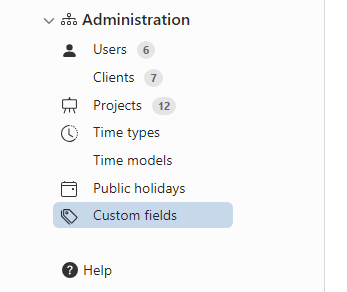
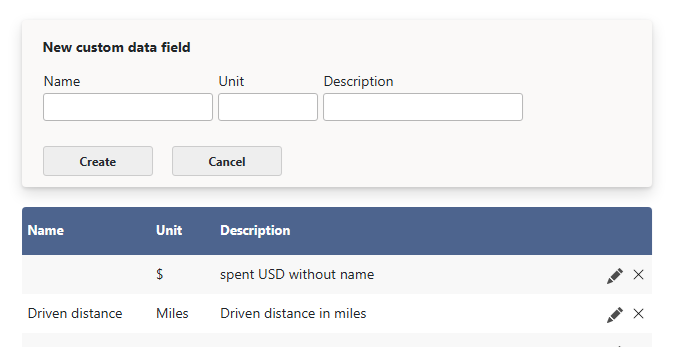
If custom fields are enabled in the settings, the various custom fields can be configured under Administration → Custom Fields. A custom field consists of a name (e.g. "Expenses") and an optional unit (e.g. "€").
Use custom fields
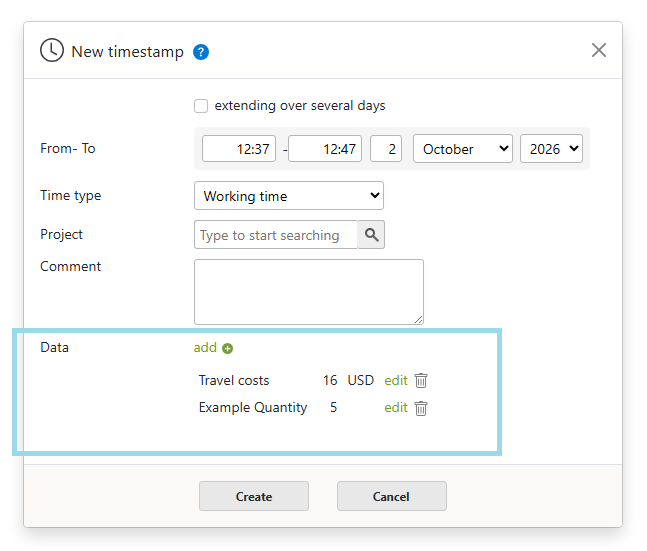
Custom fields can then be saved with a numerical value for a time entry. To add values for custom fields to a time entry, click Add Data on the time entry.
 Back to Overview