

Import Work Hours from OpenProject - Quickstart
Importing work hours from OpenProject is possible under the menu item Import from OpenProject under Export/Import. The time data is imported via the OpenProject API.
Requirements
Adjust Settings
The feature must first be enabled and configured in the settings: Go to Settings (small gear in the top right) → Security → Section OpenProject Integration ...
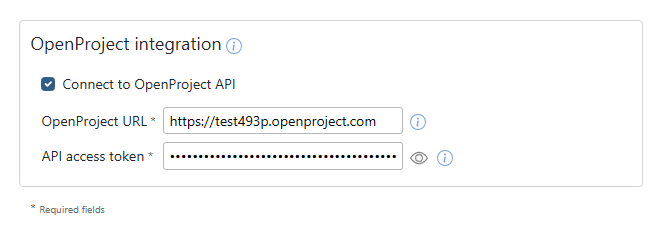
Enter the URL of your OpenProject instance in the OpenProject URL field. In the API Access Token field, enter the access token for your OpenProject instance. You can generate this access token in OpenProject's account settings under "Access Tokens".
OpenProject Username
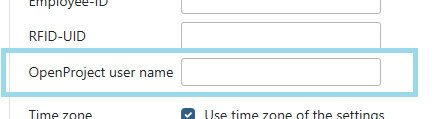
In order for Goodtime to access the time data of OpenProject users, the username of the corresponding OpenProject user must be known to Goodtime. Enter this username in the OpenProject user name field in the Users menu for the respective employee. If the field is left empty, the email address of the Goodtime user will be used instead for querying OpenProject.
 Back to Overview